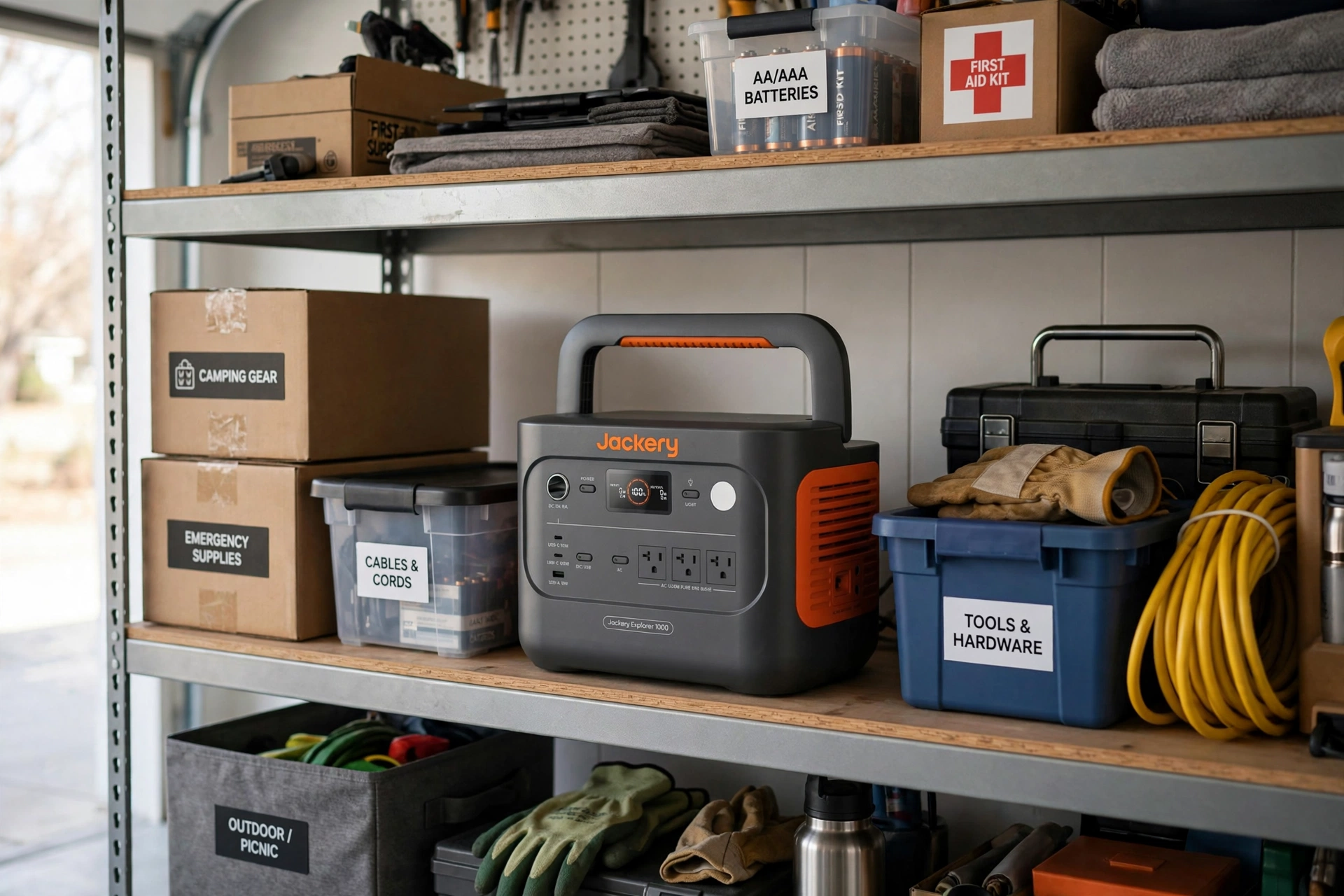
A portable power station sitting unused in a garage or closet is slowly losing capacity — lithium batteries degrade whether you use them or not, but how you store one determines whether it lasts five years or fifteen. These are the storage practices that actually matter, drawn from battery chemistry and manufacturer guidance.
- Store at 50–80%, not 100%
- Temperature is everything
- The recharge schedule
- Don’t forget firmware
- What actually kills batteries in storage
- Seasonal storage checklist
- Frequently asked questions
Store at 50–80%, not 100%
This is the single most important storage rule. A lithium battery held at 100% charge experiences higher voltage stress on its cells, which accelerates capacity loss. A battery held near 0% risks dropping below its minimum safe voltage, which can permanently damage cells or trigger the battery management system to lock the pack.
The sweet spot is 50–80%:
- LiFePO4 stations (most current models): store at 50–80%. LiFePO4 is more tolerant than older chemistries, but the same principle applies.
- Older NMC stations: store at 50–60%. NMC degrades faster at high charge, so stay conservative.
- After each use: recharge back to the storage range, not to full — unless you need it ready for an imminent trip or storm.
Most manufacturers now state a recommended storage charge in the manual. EcoFlow, BLUETTI, and Jackery all recommend roughly 50–80% for long-term storage. When in doubt, 60% is a safe default.
Temperature is everything
Heat is the enemy. Every 10°C (18°F) above room temperature roughly doubles the rate of chemical degradation inside the cells. A station stored in a 100°F garage ages dramatically faster than one stored in a 70°F closet.
Safe storage ranges from most manufacturers:
- Ideal: 50–77°F (10–25°C), dry location
- Acceptable: 32–104°F (0–40°C)
- Avoid: sustained temperatures above 104°F (40°C) or below freezing
Common mistakes: storing in an attic (extreme heat), an unheated shed through winter (freezing can damage cells if the station tries to charge), or a car trunk in summer (easily exceeds 140°F). A bedroom closet or basement shelf beats all of these.
Humidity matters too. Damp basements invite corrosion on terminals and ports. If your storage spot feels humid, use a sealed container with silica gel packs — not airtight enough to trap heat, just enough to control moisture.
The recharge schedule
Batteries self-discharge slowly even when idle, and the station’s own electronics (the battery management system, Bluetooth standby) draw a small idle current. Left alone long enough, the charge drifts down into the danger zone.
Manufacturer-recommended top-up intervals:
- Every 3 months: the conservative standard most brands recommend
- Every 6 months: acceptable for LiFePO4 in cool storage, per several manufacturers
- Check, don’t guess: power it on, read the display, recharge to 60–80% if it has dropped below 50%
Set a recurring calendar reminder — quarterly is easy to remember (start of each season). The five minutes it takes is the cheapest battery insurance there is.
One nuance: some stations have a “storage mode” or deep-sleep setting in the app that minimizes idle drain. If yours does, enable it before putting the unit away.
Don’t forget firmware
Modern power stations receive firmware updates that improve battery management, fix charging bugs, and occasionally unlock capacity. A station that sits for a year may miss several updates.
When you do your quarterly check, connect the app and install any pending firmware updates. This takes a few minutes and keeps the battery management system current. Never interrupt a firmware update — a failed flash can brick the unit, so only update when the station has ample charge and you can leave it alone until it finishes.
What actually kills batteries in storage
Ranked by how often they cause real damage:
- Storing at 100% in heat. The worst combination — high voltage stress plus accelerated chemistry. A garage in summer at full charge is the fastest way to age a battery.
- Deep discharge to zero. Below the minimum voltage, copper shunts can form inside cells. Some battery management systems will refuse to recharge a pack that has dropped too far.
- Freezing while charging. Charging lithium cells below freezing causes lithium plating — permanent capacity loss. Most modern stations refuse to charge below 32°F, which is protective, but older units may not.
- Physical damage. Drops, punctures, or crushed corners can damage cells internally. Store where it cannot fall or have heavy items stacked on it.
- Ignoring it for a year+. Benign neglect compounds all of the above.
Seasonal storage checklist
Run through this every three months:
- Power on and read the charge level — recharge to 60–80% if below 50%
- Check the storage location temperature (no heat waves, no freezing)
- Inspect ports and vents for dust, moisture, or insect nests
- Connect the app and install firmware updates
- Confirm the display, buttons, and outlets respond normally
- Run a brief discharge/charge cycle (10–20%) if the unit has sat completely idle
Total time: under 15 minutes. A station maintained this way should deliver close to its rated cycle life — 3,000+ cycles for LiFePO4, which at quarterly cycling is effectively decades of standby readiness.
Storing cables, panels, and accessories
The station is not the only thing that degrades in storage. Accessories need care too:
- Solar panels: store flat or hanging, never folded under weight (for rigid panels) or creased (for flexible ones). Keep connectors capped to prevent corrosion. A panel left in a damp shed can develop microcracks in the cells from moisture cycling.
- Cables: coil loosely — tight wraps stress the conductors at the bend points. The MC4 solar cables and AC charging cords that ship with most stations are thick; respect their minimum bend radius.
- Expansion batteries: store at the same 50–80% charge as the main unit, and cycle them on the same quarterly schedule. A forgotten expansion battery at 0% is an expensive paperweight.
- Carrying cases: if your station came with a padded bag, use it — but not as a moisture trap. Toss in silica gel packs and store the bag somewhere ventilated.
What about multi-year storage?
Sometimes a station sits for years — a backup unit for a cabin, a preparedness purchase, a hand-me-down. The rules scale:
- Year 1–2: quarterly checks as described above. No special measures needed.
- Year 3+: consider a full discharge/charge cycle annually (100% to ~20% and back to 60%) to recalibrate the battery management system’s capacity estimate. BMS fuel gauges drift over time; a calibration cycle restores accuracy.
- Year 5+: expect some capacity loss regardless — 5–10% is normal for LiFePO4 stored well, more for NMC or poorly stored units. Test actual runtime against a known load before relying on it for an emergency.
LiFePO4’s calendar life (degradation from age alone, not cycling) is roughly 10–15 years in good conditions. A well-stored station bought today should still be useful in the mid-2030s. The electronics — capacitors, fans, displays — are more likely to fail first than the cells.
Frequently asked questions
Can I leave it plugged in all the time?
Most modern stations handle this fine — the battery management system stops charging at 100% and many apps let you cap the charge at 80%. But for long-term storage (months), unplugged at 60% in a cool spot is still better than plugged in at 100%.
Does the battery drain if I never use it?
Yes, slowly — roughly 1–3% per month from self-discharge plus idle electronics. That is why the quarterly check matters.
My station sat for a year at 0%. Is it dead?
Maybe not. Try charging it — many battery management systems have a recovery mode. If it refuses to charge or the capacity is severely reduced, contact the manufacturer; some will service out-of-warranty packs.
Should I store it in the original box?
The box is fine for dust protection, but do not seal it in plastic in a hot location — trapped heat is worse than dust. Ventilation matters more than packaging.
Read next
- Portable Power Station Not Charging? 7 Fixes to Try — several fixes apply directly to a unit coming out of storage.
- What Size Portable Power Station Do I Need? — the watt-hour sizing formula and worked scenarios.
Leave a Reply